
Note: This indoor season, The Player Lab is moving from Momence to Uplifter, a subscription-based registration system designed to give players more consistency in their development. Learn more.
HOW TO BOOK A SESSION using momence
Once you've registered and created an account for your child, log in to Momence: https://momence.com/sign-in
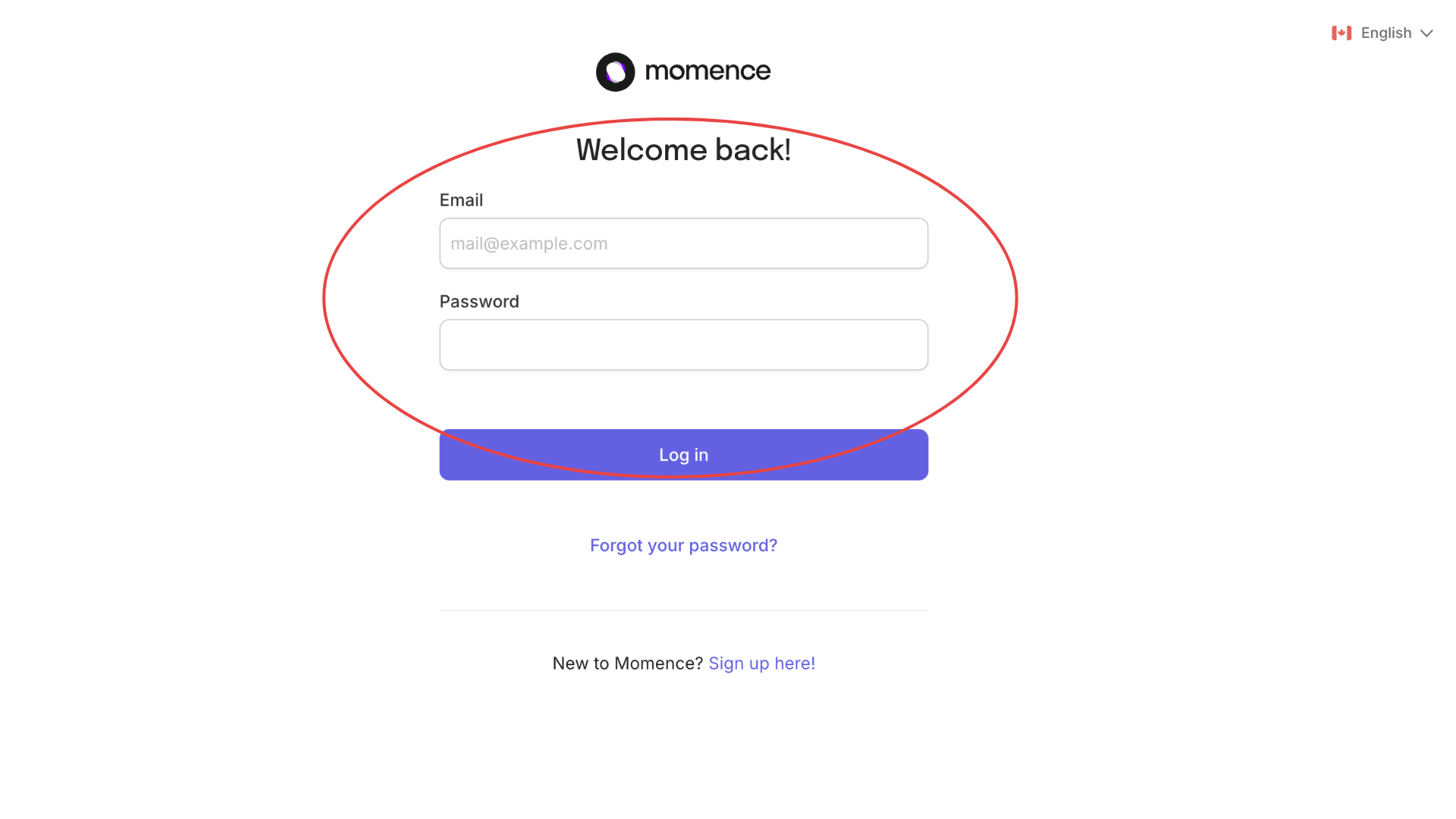
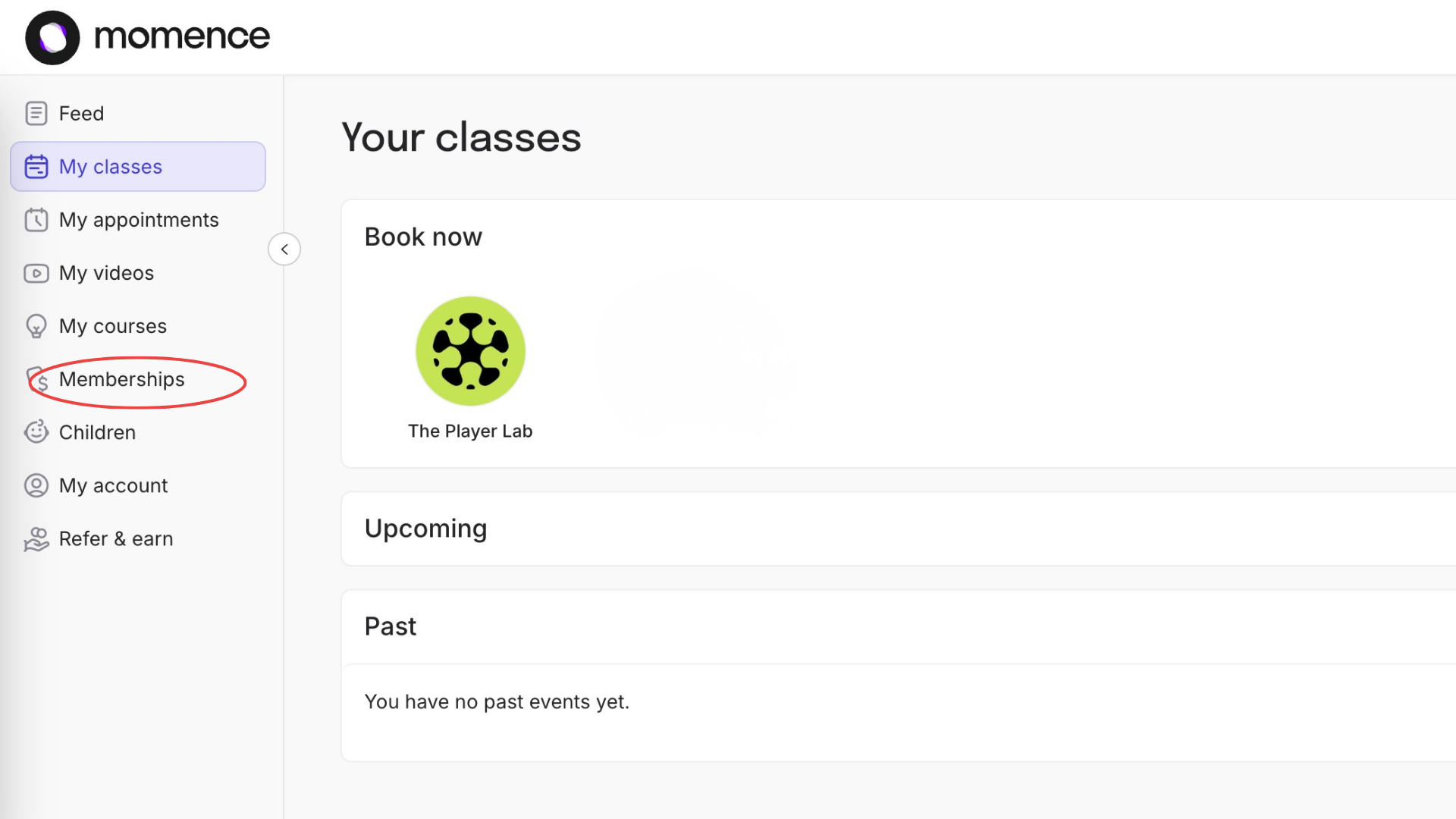
Step 1: Access Your Membership
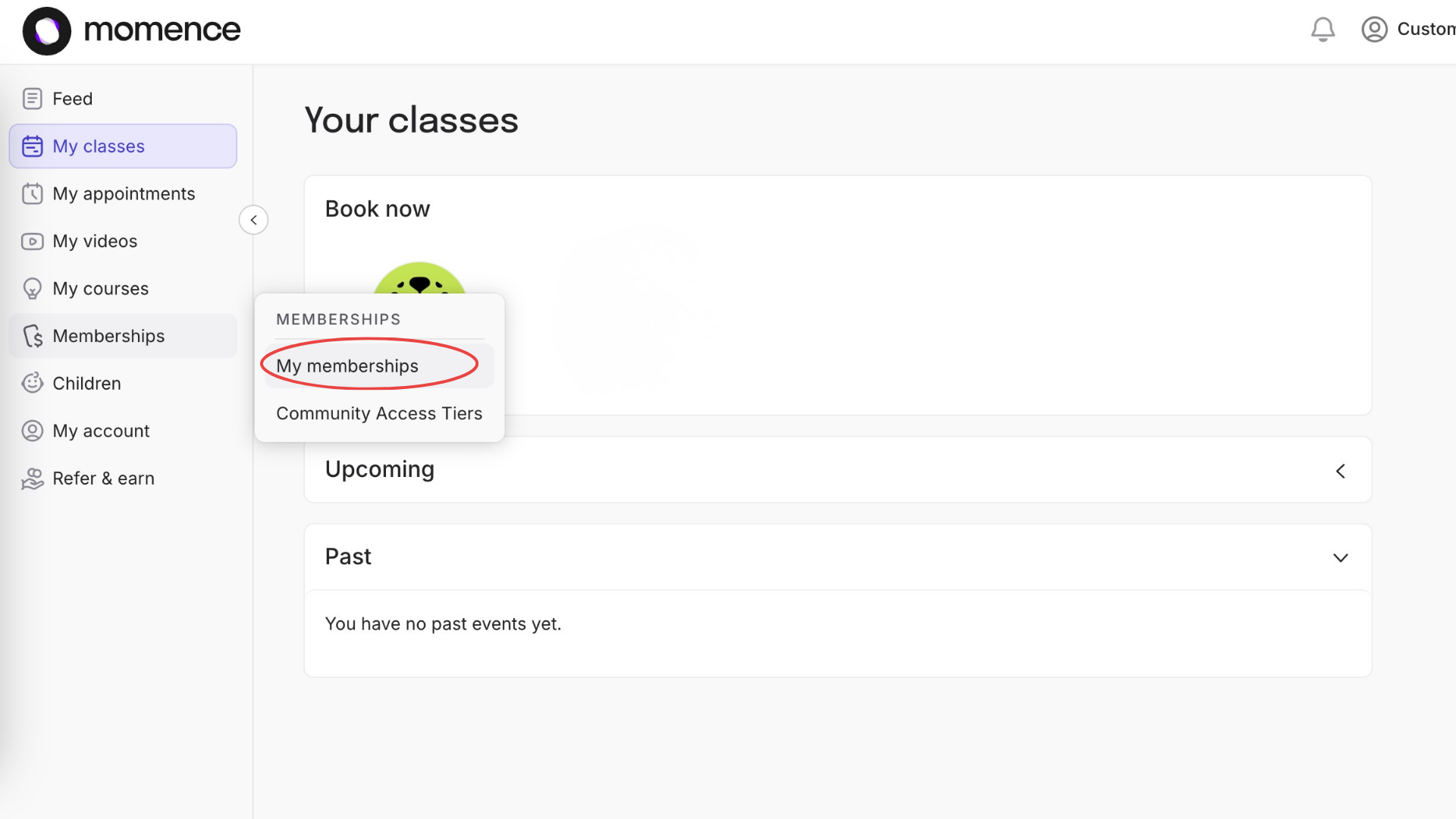
From the main menu on the left-hand side, click Membership.
Select My Memberships.
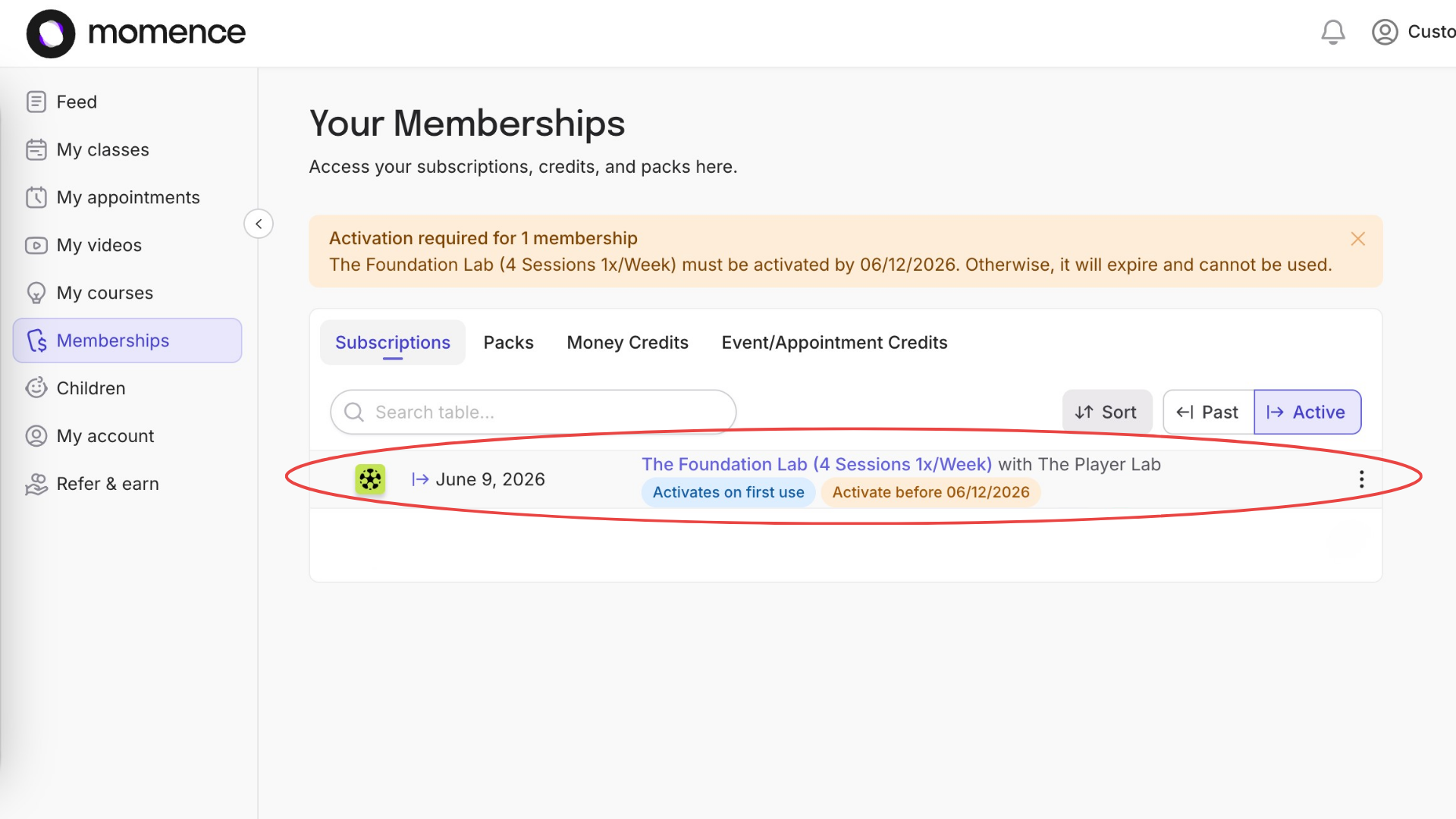
Here, you will see your purchased subscription.
Step 2: View Available Sessions
Click on your Subscription or Pack.
This will take you to the Purchase Options page, where you'll find all available sessions you are eligible to book.
Tip: To make booking easier, switch from Week View to Month View.
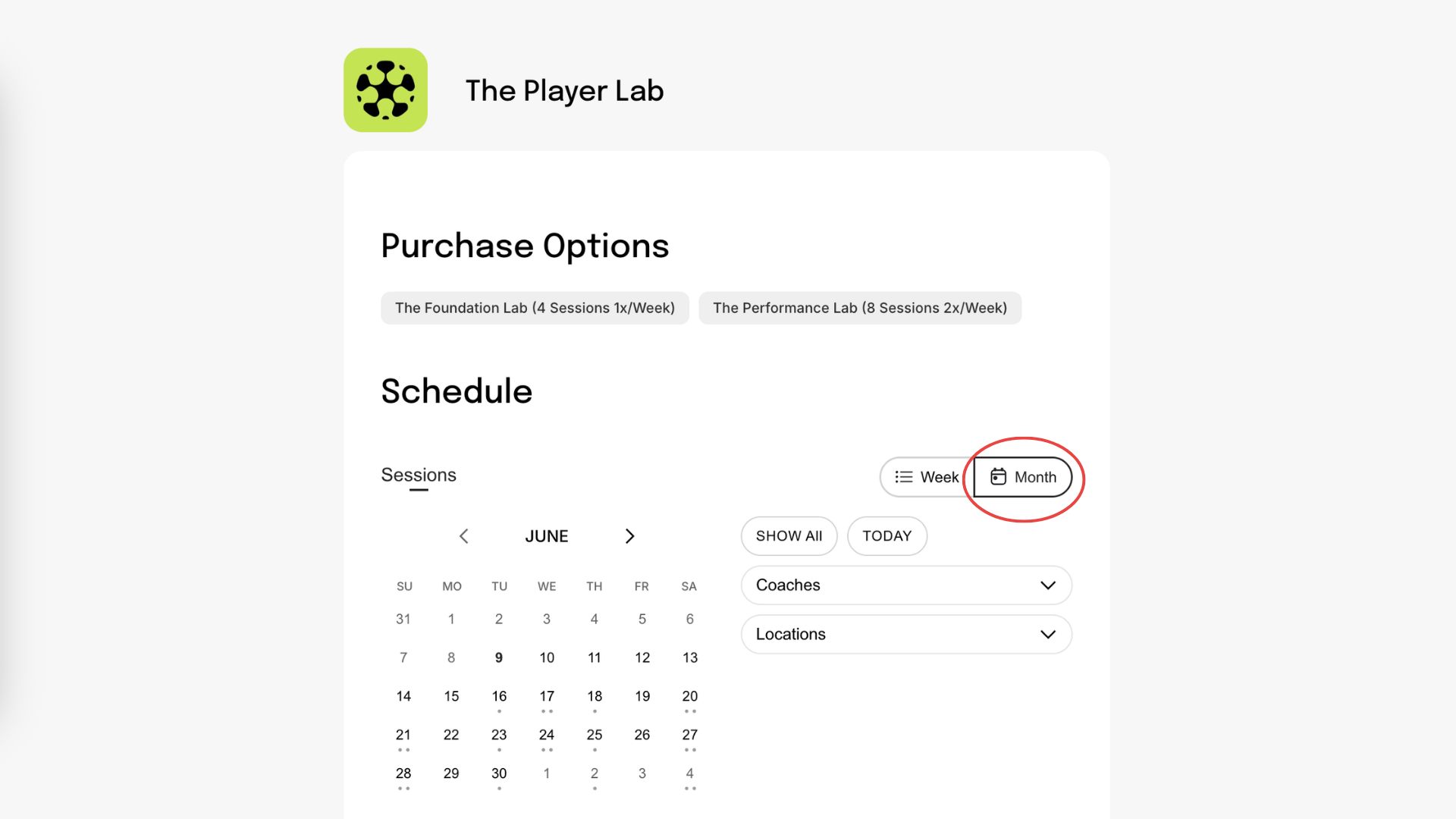
Step 3: Book a Session
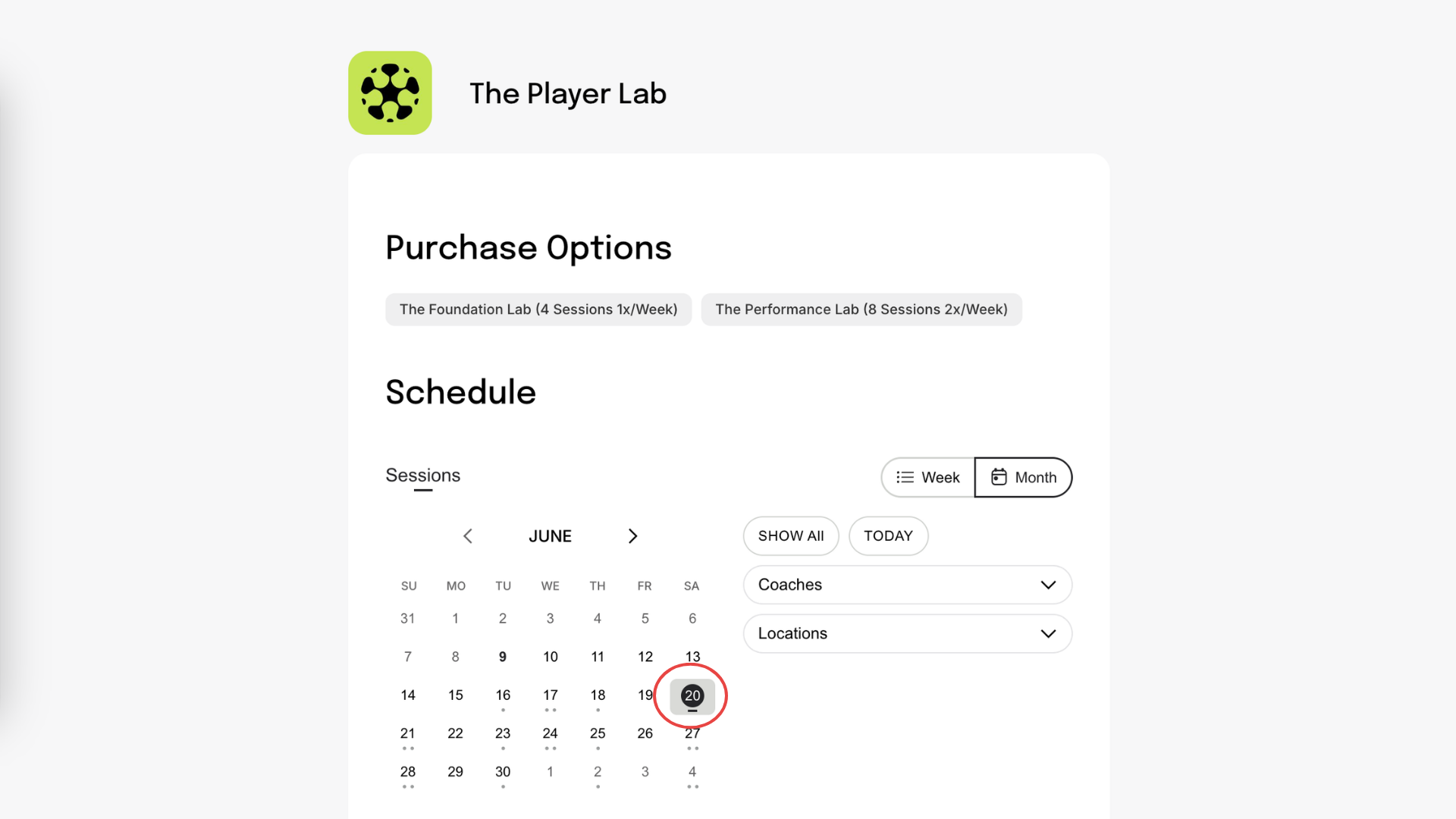
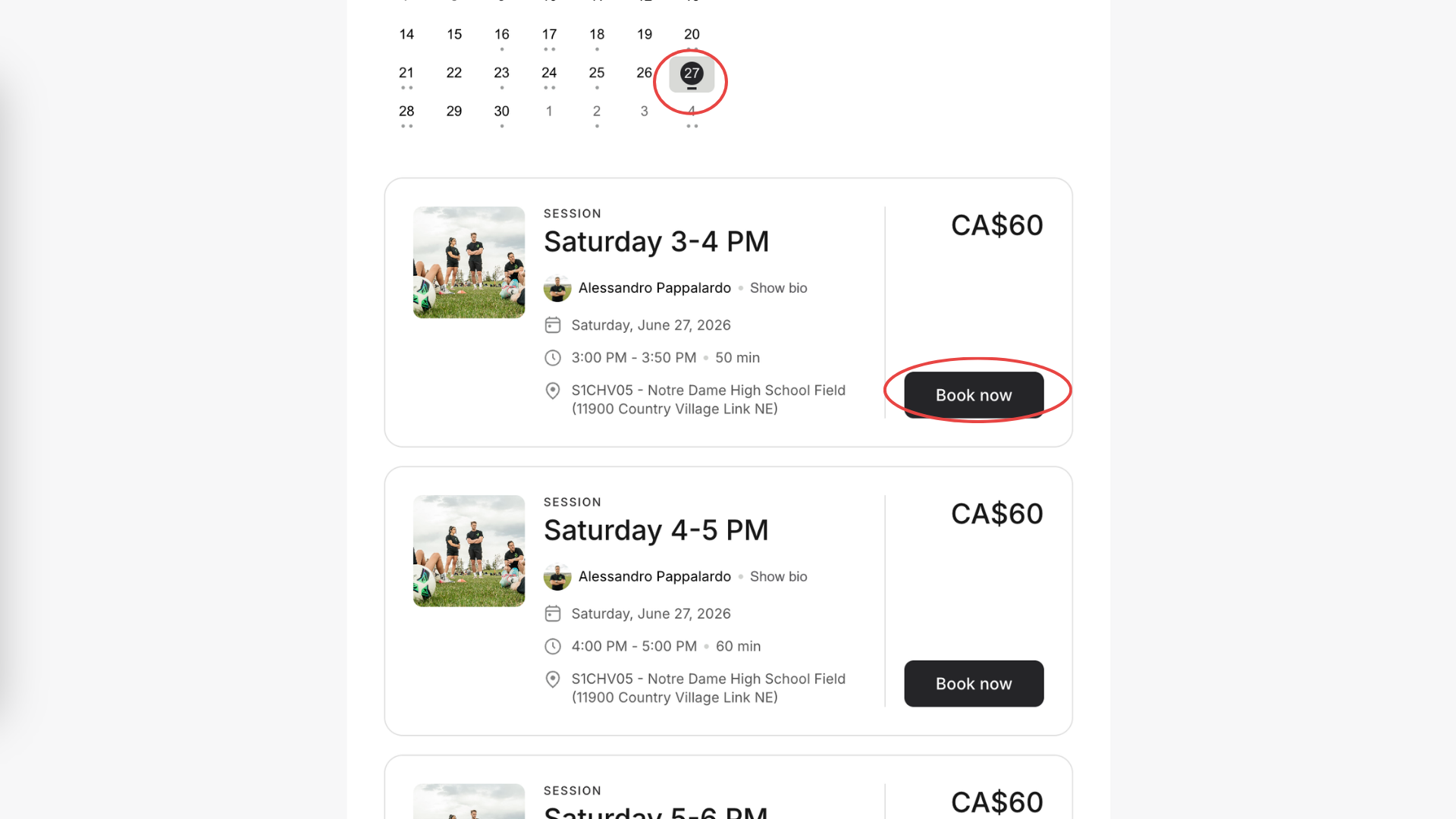
Choose the weekly session that best fits your player’s age, skill level, and schedule.
Review the available session times for that day.
Click on your preferred session time.
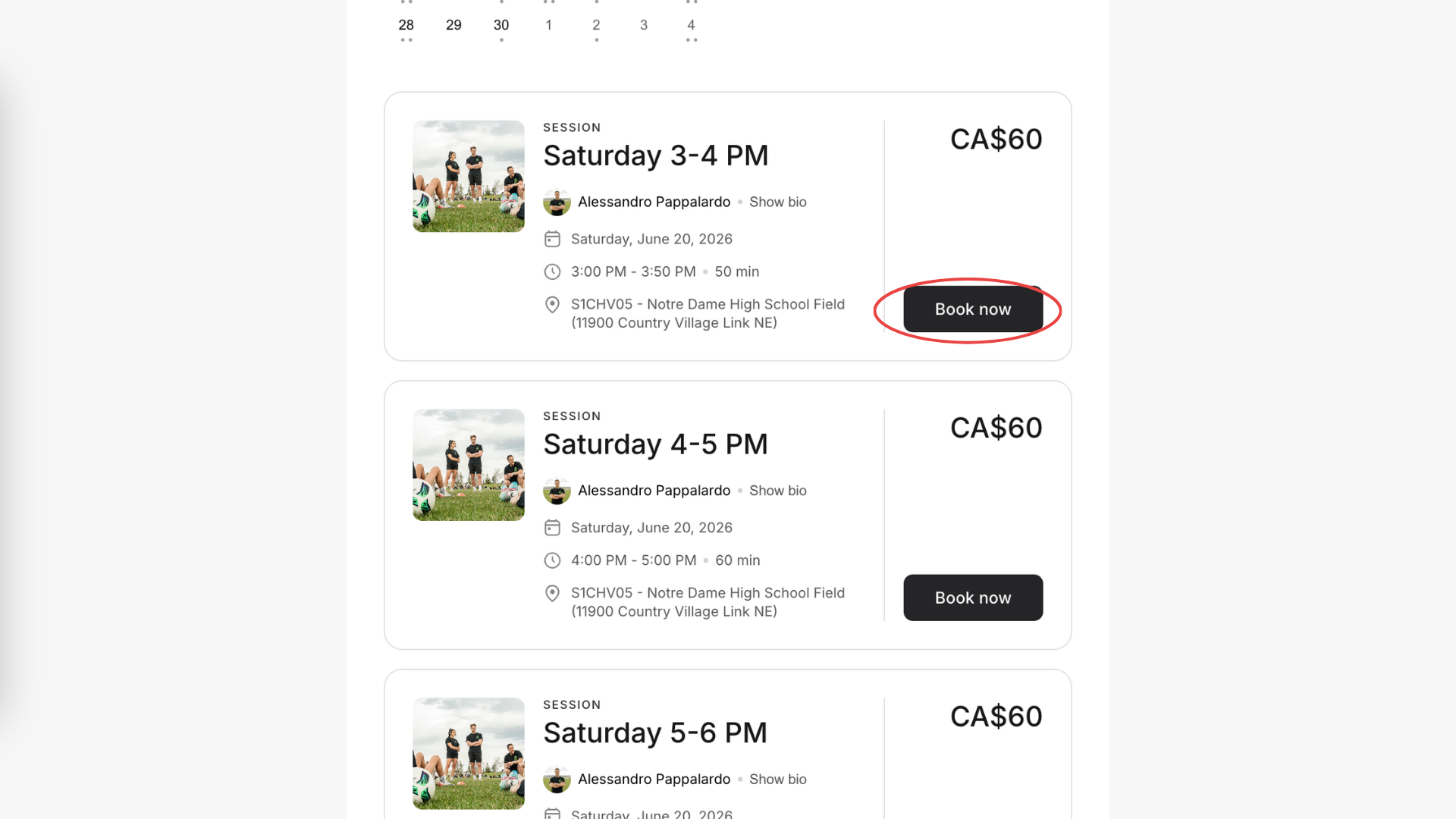
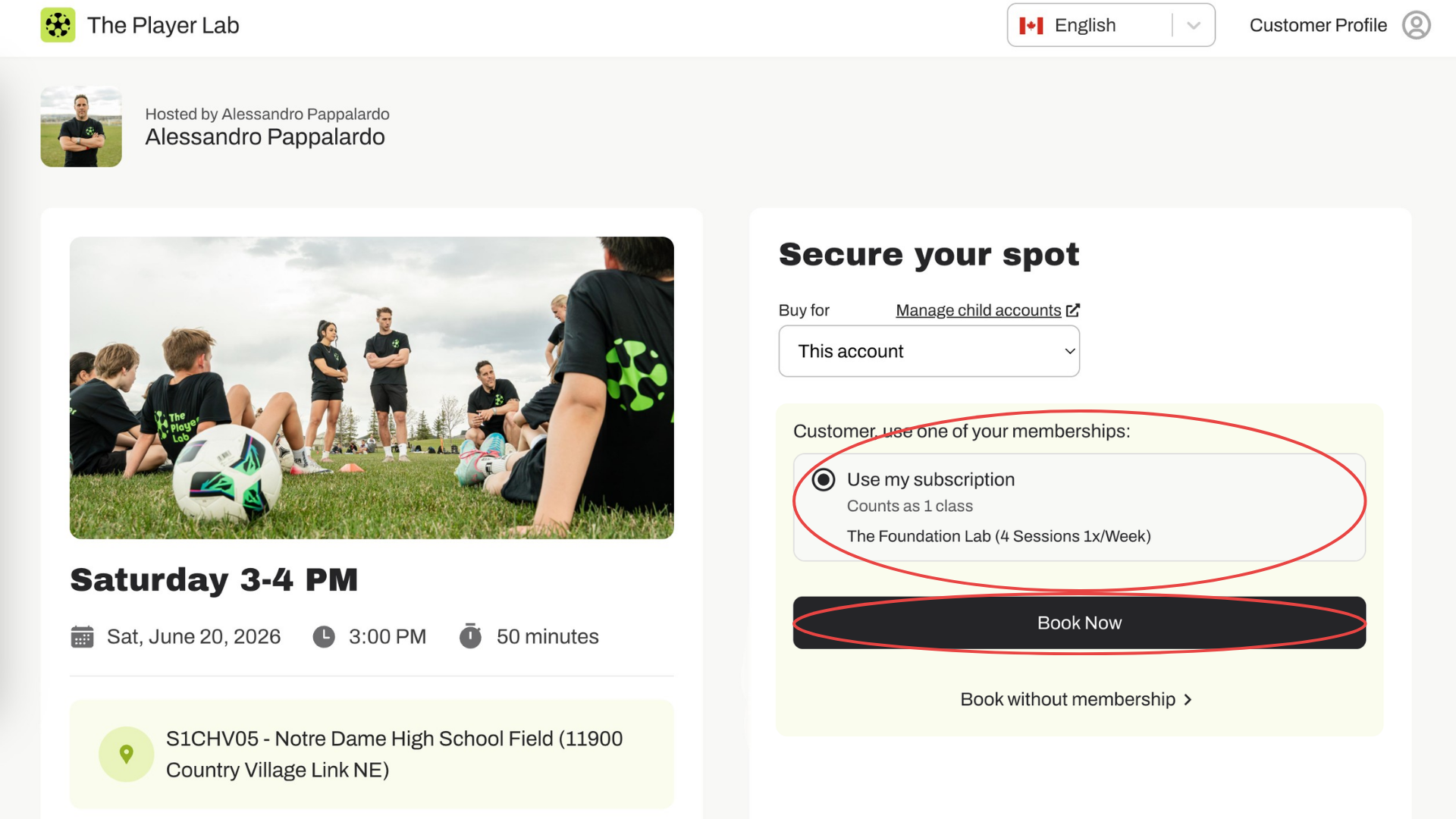
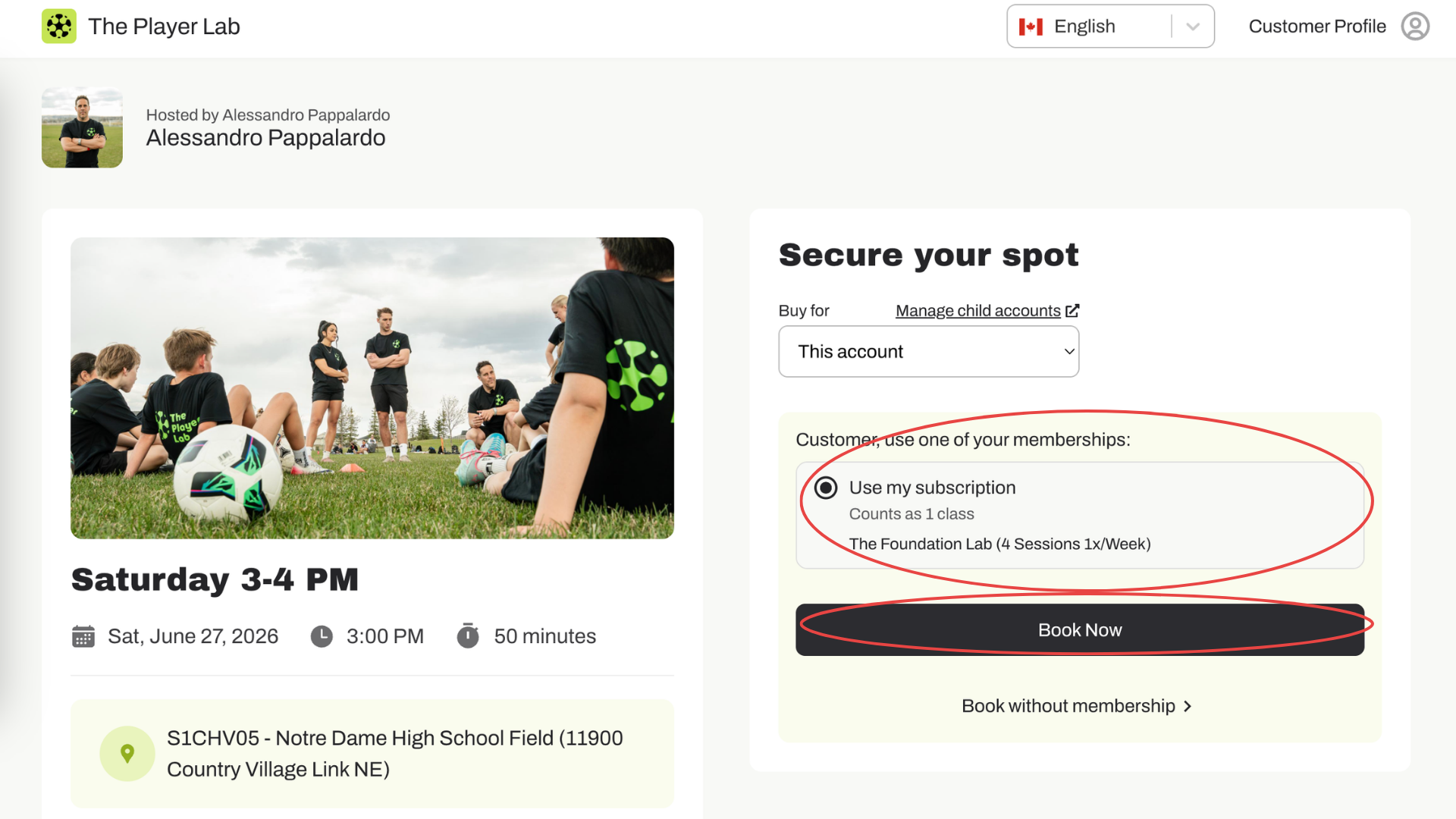
Step 4: Book with your subscription
Use your subscription credit to book the session.
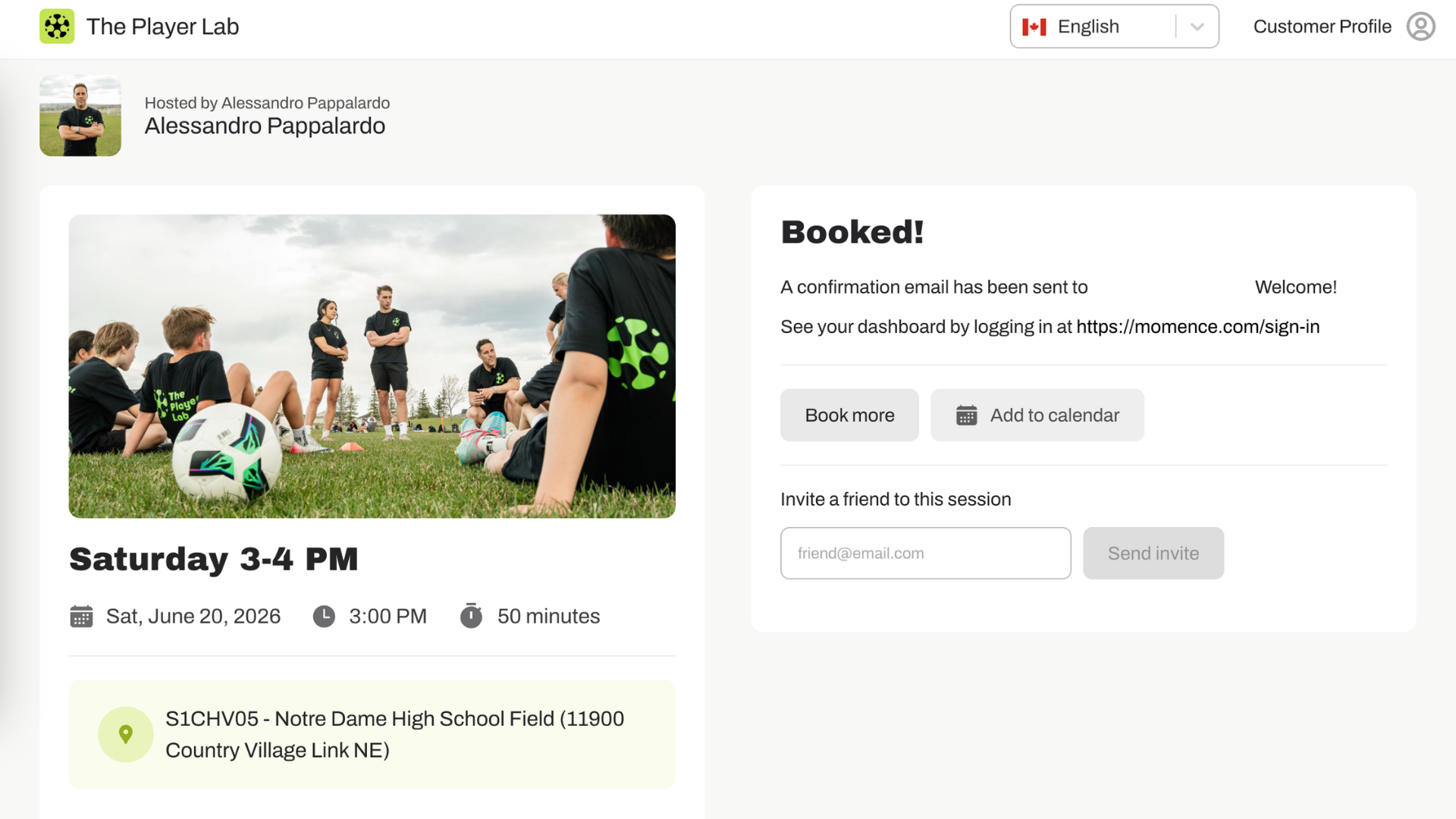
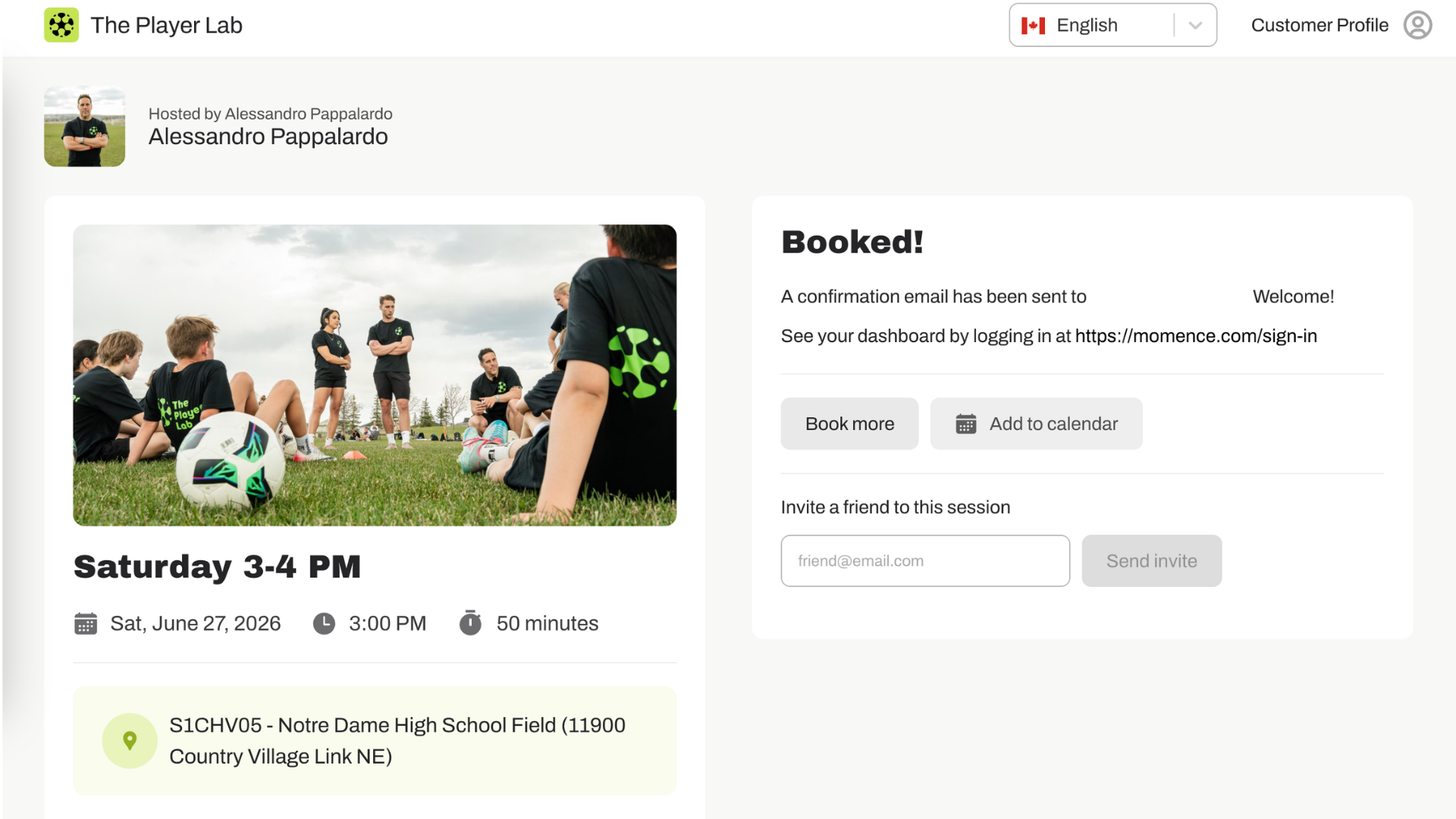
You will receive a confirmation once your booking has been successfully completed.
Step 5: Book remaining Sessions
To book your remaining sessions, simply return to the Purchase Options page and repeat the process.
Foundation Lab
Includes 1 session per week for 4 or 12 weeks.
Performance Lab
Includes 2 sessions per week for 4 or 12 weeks.
You are welcome to book all of your sessions in advance or book them week by week based on your schedule.
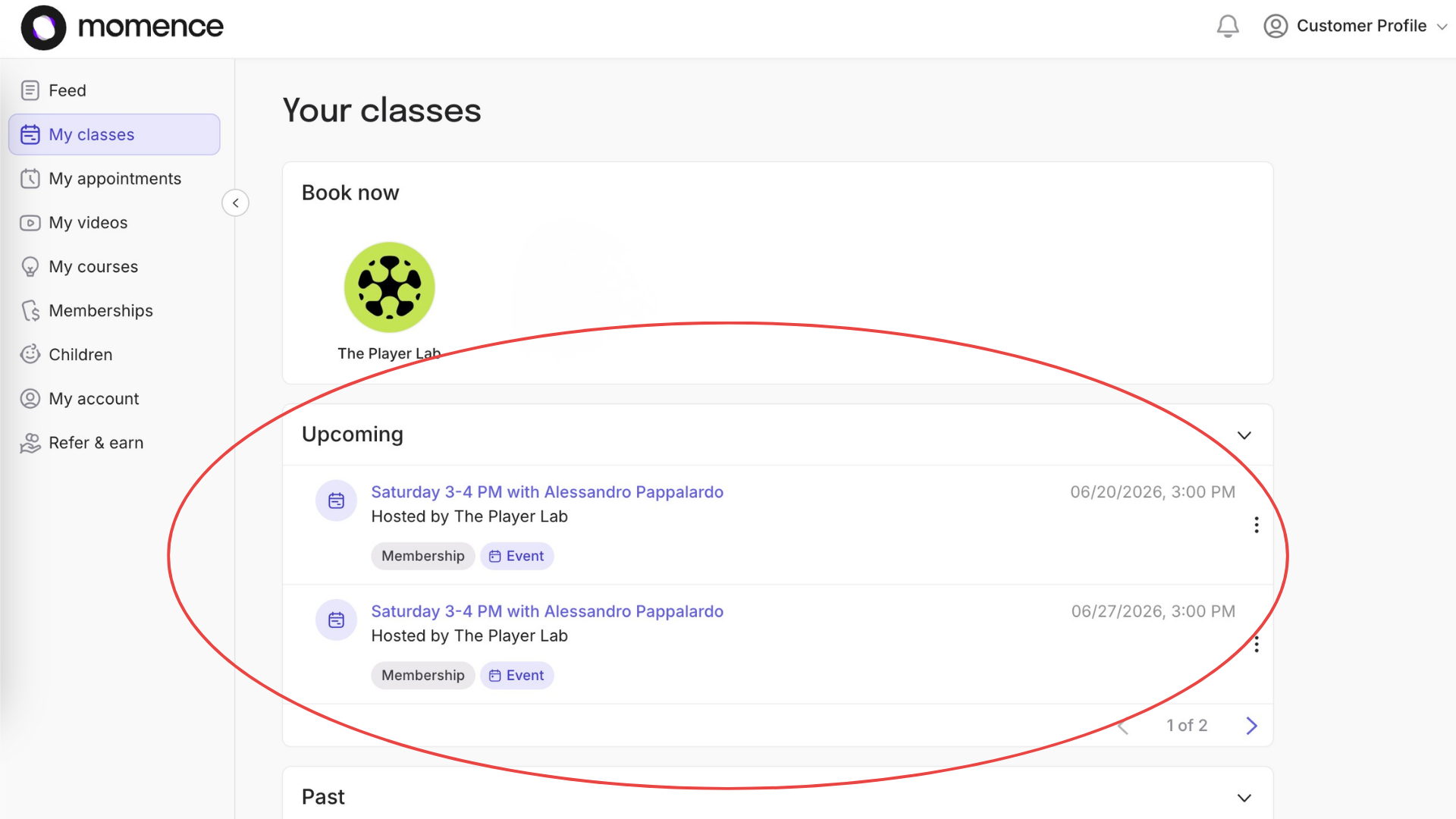
View Your Upcoming Sessions
At any time, return to the main menu to view all upcoming sessions you have booked.
Questions?
If you need any assistance with booking your sessions or managing your membership, please reach out to us at info@theplayerlab.ca. We're happy to help and look forward to seeing your player at The Player Lab!
HOW REGISTRATION WORKS
Our programs are designed to provide families with flexibility while ensuring players receive consistent weekly training.
Choose Your Membership
Register for either:
The Foundation Lab: 1 session per week
The Performance Lab: 2 sessions per week
Your 4-Week Cycle
Your membership begins on the day you register and runs for 4 weeks or 12 weeks.
Choose Your Weekly Time Slot
When you register, you'll select your weekly training day and time that best fits your schedule.
Example: Wednesday from 5:00–6:00 PM.
This becomes your reserved training time each week for the duration of your 4 or 12-week membership.
Need to Change a Week?
We understand that schedules change! If you're unable to attend your regular session one week, simply let us know in advance. If space is available, we'll happily move you to another day or time that week so you don't miss your training.
Weekly Session Limits
Your membership is based on the number of sessions you register for each week.
1 session/week membership: Attend 1 session each week.
2 sessions/week membership: Attend 2 sessions each week.
Sessions cannot be banked or used all at once. For example, if you're registered for 1 session per week, you cannot attend all 4 sessions during the first two weeks of your membership.
Our Goal
This system gives families the flexibility to adjust their schedule when needed while ensuring every player receives consistent, high-quality training and every class remains balanced.